Solace Cloud Authentication
All SC CLI commands require authentication with either the Solace Cloud Platform or Event Brokers depending on the commands you are running.
This section discusses Solace Cloud authentication. The CLI uses the Cloud v2 REST APIs, which require an API Token.
For Cloud Event Broker Services and self-managed Software Event Brokers, the commands use SEMPv2 or Legacy SEMP and you authenticate with the broker using Basic or OAuth authentication scheme.
Refer to the Event Broker Authentication documentation for more information on this.
Solace Cloud API Token
To manage Solace Cloud you will need an API Token. Refer to the REST API documentation and Solace Docs for understanding the permission and API Token.
You can have multiple API Tokens configured with the SC CLI.
Permissions
The permissions configured in Solace Cloud for your API Token determine what you are allowed to view, manage, and configure and which commands will successfully run.
Each Solace Cloud command specify the token permissions that it requires for the command to run successfully:
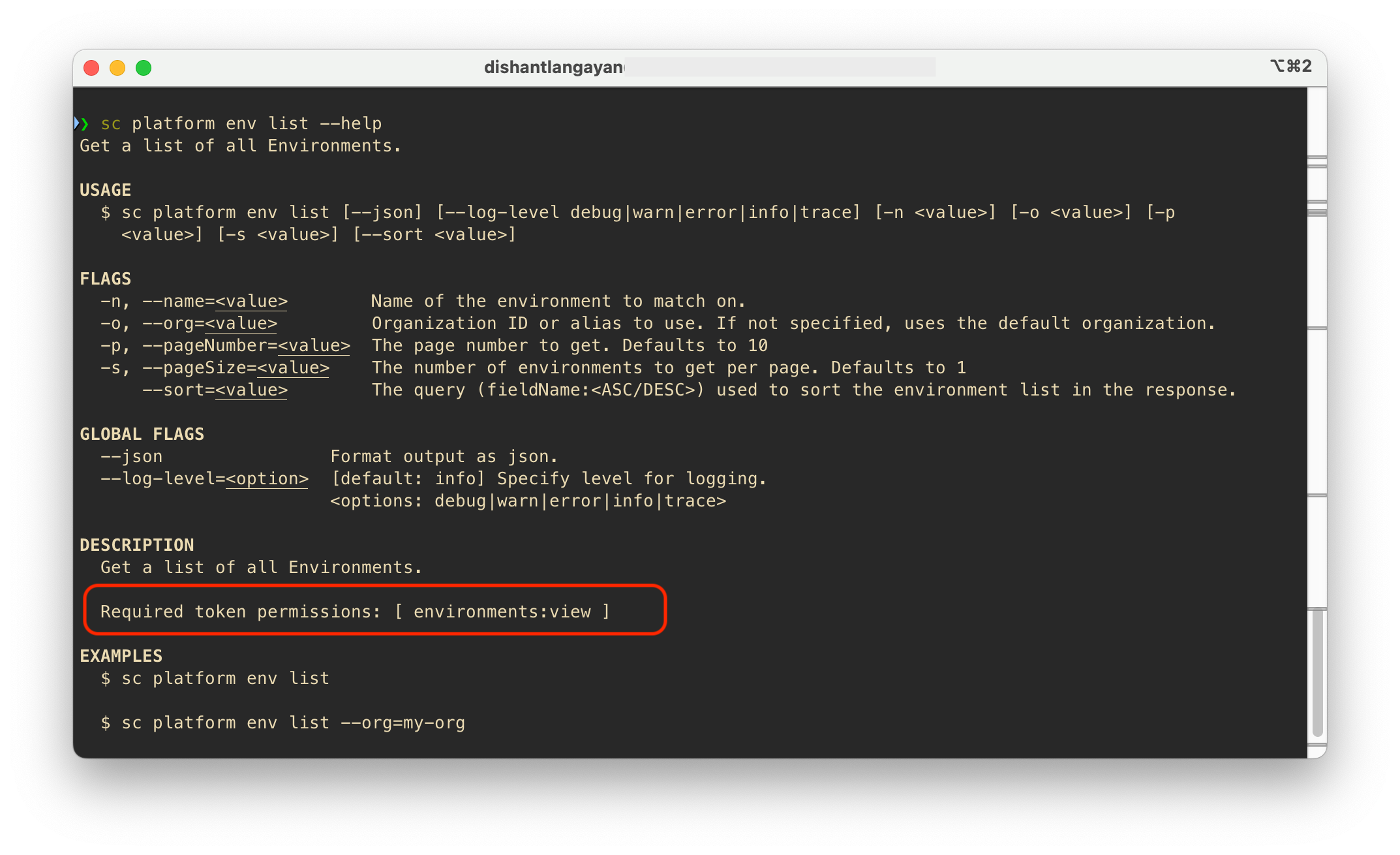
Org Account Login
Account login authorizes the SC CLI and its commands to make REST API calls with your Solace Cloud platform.
To authorize the CLI to manage and configure your Solace Cloud you will need to login using your API Token:
sc account login --org <Your Account Name>
Each API Token is associated with a Solace Cloud account that has a name. This is referred to as the "org" in CLI commands.
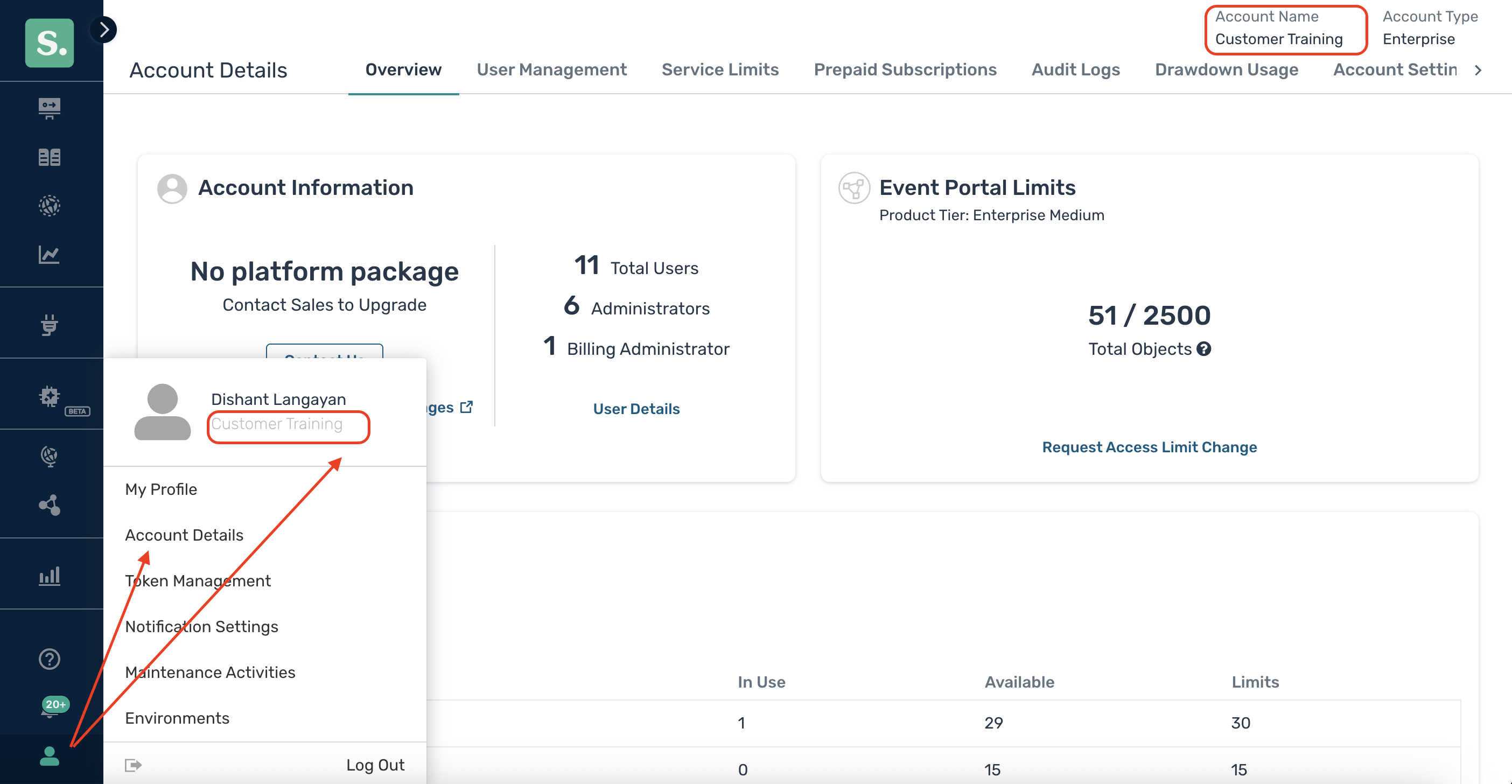
Note your Solace Cloud Account Name and the org you provide to login does not have to match, but we highly recommend it does match.
This also allows you to login to multiple Solace Cloud accounts and execute commands against different accounts.
Once you have successfully logged in you can then use the --org flag in commands. For ex:
sc platform env list --org MyAccountName
Setting the Default Org
When you login, you can specify an org as the default for command to use.
sc account login --org <Your Account Name> --set-default
This is useful if you only have one account to work with and avoids having to specify the --org flag in every command.
Org Alias
You can configure multiple API Token for a single Solace Cloud account by using the --alias flag.
Subsequent commands can then use --alias instead of the --org flag.
sc account login --org <Your Account Name> --alias UniqueNameForAPIToken
Logging Out
To delete / de-authorize an API Token, use the logout command.
sc account logout --org <Your Account Name>
If no specific org or alias flag is provided the command will list all the orgs and you can use the keyboard arrow up/down keys to navigate through the list, spacebar to select one, and enter to confirm your choice. You will be prompted to confirm before the command logs you out.
sc account logout
You can also logout out of all orgs by using the --all flag:
sc account logout --all
Where is the Authentication Information Stored?
All authorized Solace Cloud accounts are stored locally in the user's home directory: ~/.sc/orgs.json on MacOS/Linux or %USERPROFILE%\orgs.json.
Tokens are stored securely using AES-256-GCM encryption. The CLI stores a randomly generated master key in the OS keychain, and combine it with machine ID, to provide a higher level of security. This provides:
- Strong security through OS-level protection
- Machine-bound encryption prevents credential theft
The CLI uses operating system's native secure storage to store the encryption key:
- macOS: Keychain
- Windows: Credential Manager
- Linux: Secret Service API (libsecret)